What Is WordPress Website Development?
When a new creator wants to start their first website or blog, one of the first questions that comes up is what easier approach to take instead of writing code from scratch. That’s why this WordPress Website Development Beginner Guide is so useful for beginners.
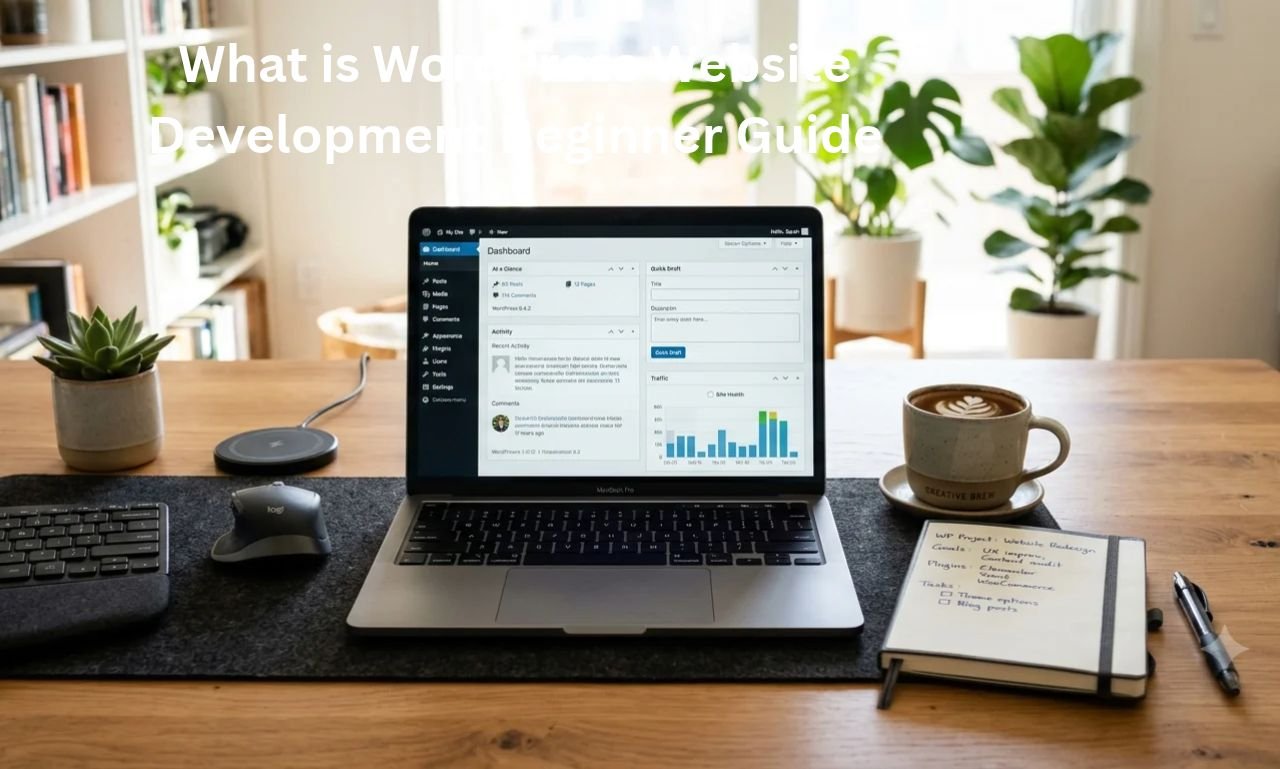
In simple words, WordPress website development means creating websites and blogs using the WordPress platform, designing them, adding essential features, and updating or maintaining them from time to time.
A small site may simply display details of a business or portfolio, while a larger site may feature articles, pages, contact forms, or an online store. You can also check out our domain and hosting basics guide later.
Understand the Difference Between WordPress.org and WordPress.com
-
WordPress.org: This is self-hosted open-source software that you install on your hosting and have more control over themes/plugins.
-
WordPress.com: This is a hosted service where a portion of the hosting and maintenance is managed as per the platform plans.
Look, it’s crucial to understand the difference between the two at the outset to avoid confusion later. It’s always best to check the WordPress.org official site for official documentation.
Guide to the image to place below this heading: Add a clean illustration showing how to create a WordPress site on a laptop screen. Don’t include any fake stats or misleading text.
How WordPress Works Behind the Scenes
Now let’s see what happens when a visitor opens your WordPress site.
When a user enters your website’s address into a browser, the request goes to the web server. WordPress’s PHP code runs to retrieve data about posts, settings, and pages from the database , and the theme converts that data into HTML/CSS and sends it to the browser.
The flow in easy words is like this:
Visitor Browser -> Web Server -> WordPress + Theme/Plugins -> Database -> Page Shown on Screen
What is required to run the site?
-
Domain Name: The address of your website, like
example.com. -
Web Hosting: The place or server environment where WordPress files and database are stored.
-
Database: Where data about posts, pages, users, and settings is saved.
The most important thing to keep your site from slowing down or breaking is to focus on clean hosting and using as few essential plugins as possible. You can also read our WordPress speed tips guide .
Guide to the image to place below this heading: Place a clean diagram showing the simple connection of core parts of WordPress like Posts, Users, Options, and .Database
Core Parts of a WordPress Site: Themes, Plugins, and Editor
This simply means that to create a WordPress site you will need to understand three main things: Themes , Plugins , and Block/Page Editor .
If you are learning according to the What is WordPress Website Development Beginner Guide , then each thing has a different role and mixing them can lead to mistakes.
Themes, Plugins, and Editor Work
-
Theme: This controls the overall look, colors, typography, and layout style of your website.
-
Plugin: This is used to add extra features or functionality, such as a contact form, SEO settings, or backup.
-
Editor: This is how you arrange text, headings, images, and blocks within your posts and pages.
Otherwise, if someone installs heavy or unverified plugins for every small task, the site may slow down or conflicts may arise. You can also check out the essential blog pages guide to set up your site’s basic pages.
Step by Step Guide to Start WordPress Website Development
If you’re building a site for the first time, don’t rush. Otherwise, you’ll have to re-configure your settings and layout later if you start without planning.
This step-by-step process shows you how to get started cleanly and safely, according to the WordPress Website Development Beginner Guide :
-
Get your domain and hosting ready: Get a domain name for your brand and set up a reliable web hosting plan where you can install WordPress.
-
WordPress install aur basic settings set karo: Hosting panel se WordPress install karo, permalink structure clean rakho, aur site title/tagline theek karo.
-
Create a lightweight theme and essential pages: Choose a fast and clean theme, and publish pages like About , Contact , and Privacy Policy first.
-
Helpful content likho aur speed check karo: Original, readable articles likho, har page par clean images lagao, aur mobile/desktop dono par loading speed check karo.
Sabse zaroori baat ye hai ke kisi bhi platform ya approval ke liye koi fake shortcut nahi hota. Jab content asli aur useful hota hai, tabhi readers ka trust banta hai. Tum hamara WordPress permalink and SEO basics bhi baad mein check kar sakte ho.
Is heading ke neeche lagane wali image ka guide: Ek clean step-by-step checklist ya flow graphic lagao jisme 1. Domain & Hosting -> 2. Install WordPress -> 3. Theme & Core Pages -> 4. Publish & Check Speed clear boxes mein dikhein.
WordPress vs Other Website Builders and Custom Coding
Ab ek ahem sawaal aata hai: kya har website ke liye WordPress hi best hota hai, ya doosre options bhi samajhne chahiye?
Asal mein, tumhare paas hosted website builders (jaise Wix, Squarespace, ya Shopify) aur custom coding (HTML, CSS, JavaScript, aur server/database) ke options bhi hote hain.
Har option ka apna purpose hota hai. WordPress flexibility aur content management ke liye mashhoor hai, website builders quick setup ke liye kaam aate hain, aur custom coding mein har chhoti detail par poora control milta hai.
Kaunsa Option Kab Samajhna Chahiye?
-
Agar tumhe blog, content site, ya flexible CMS chahiye aur plugins/themes ka control chahiye, to WordPress ek popular choice hai.
-
Agar tumhe all-in-one hosted builder ya specific store setup chahiye, to website builders ka option bhi dekha ja sakta hai.
-
Tum hamara website builder vs WordPress guide read kar ke apni zaroorat ke mutabiq compare kar sakte ho.
Is heading ke neeche lagane wali image ka guide: Ek clean comparison graphic lagao jisme WordPress, Website Builders, aur Custom Coding ke short points aasan language mein dikhein.
Pros and Cons of WordPress Website Development
Kisi bhi platform ki tarah WordPress ke apne faide bhi hain aur kuch challenges bhi. Sachchi aur balanced baat jaanna zaroori hai taake tum real expectations ke saath kaam karo.
Pros (Faide)
-
Bahut flexible aur wide ecosystem: Themes aur plugins ki madad se blog se lekar business site tak kaafi kuch banaya ja sakta hai.
-
Easy to manage content: Handling articles, categories, menus, and media files is quite straightforward.
-
Large community and guides: Easy to find documentation and tutorials to learn.
Cons (Challenges)
-
Maintenance is essential: Themes, plugins, and the WordPress core need to be kept secure and updated.
-
Risk of speed or conflict from wrong plugins: Too many or unverified plugins can make the site slow or broken.
-
Hosting and security considerations: Cheap or weak hosting can cause slowness in traffic or heavy tasks.
Look, if you maintain a clean setup and regular maintenance, things go much smoother in the long run. You can also check out our blog content quality guide .
Guide to the image to place below this heading: Place a clean pros and cons diagram Prosclearly Consshowing 3-3 short points.
Frequently Asked Questions
What does What is WordPress Website Development Beginner Guide cover for a new learner? Simple shabdon mein, isme WordPress ka basic concept, themes, plugins, editor, step-by-step setup, doosre options se comparison, aur safe practices samjhai jaati hain taake beginner bina confusion ke start kar sake.
Do I need to know coding to build a WordPress website? Building a basic website or blog doesn’t require heavy coding initially, but a basic understanding of HTML, CSS, and PHP comes in handy for further customization and troubleshooting.
How many plugins should I install on a new WordPress site? There’s no set number, but only keep trusted and essential plugins that you truly need; avoid extra or unverified plugins.
Why should I avoid nulled or cracked themes and plugins? They may contain hidden malicious code, spam links, or broken scripts that can harm your site, data, and user trust.
How can I keep my WordPress site fast and clean for readers? Lightweight theme chuno, images ko proper size aur format mein rakho, unnecessary plugins hatao, aur clean layout ke saath original, helpful content publish karo.
Guide to the image to place under this heading: Place a clean FAQ banner or illustration that displays question mark icons in a simple, clean style.
Final Thoughts
Look, brother, the first step in any new skill is the most important – create a clean and helpful page today, focus on genuine tools and original content, and keep moving forward a little bit every day; one day you’ll be proud of your hard work!