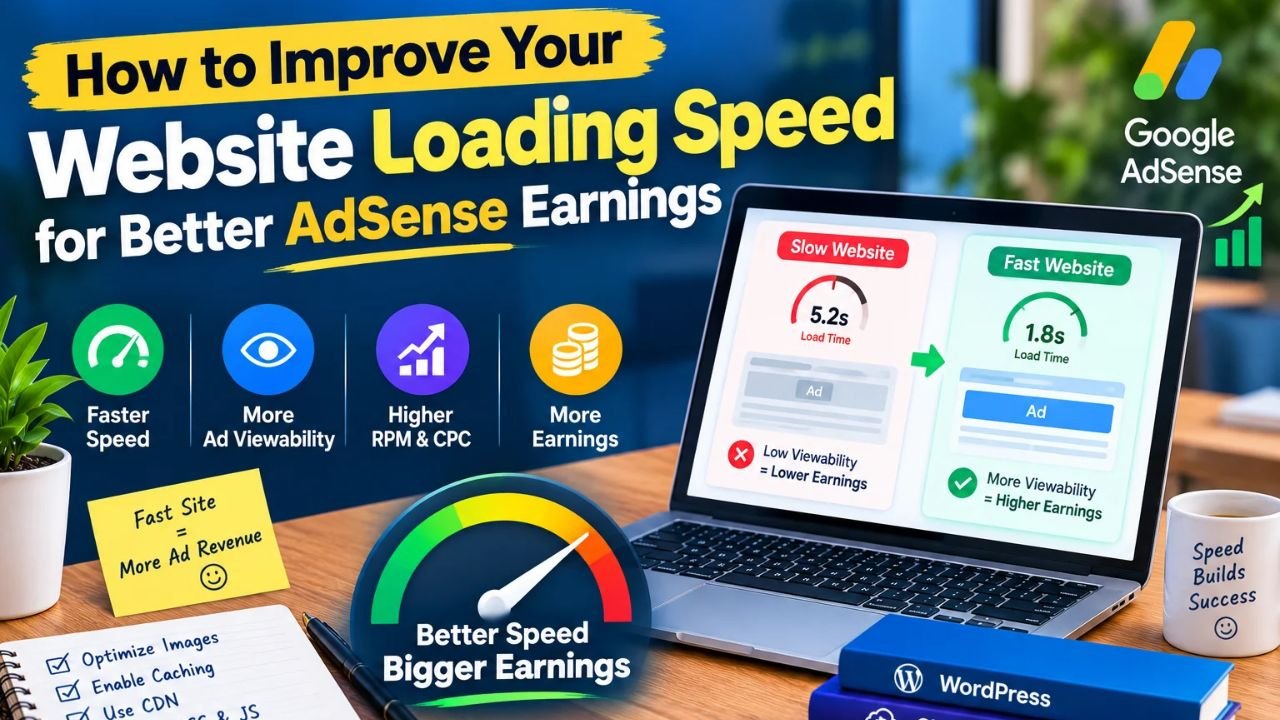
Why Slow Pages Hurt Readers and Ad Monetization
Has it ever happened that you’ve painstakingly written an article and placed ad units, but the page takes so long to load that readers hit the back button before they even get to the next page? When pages take a long time to load, the reader’s experience suffers and ad impressions/views don’t reach their full potential.
Therefore, when any publisher or blogger wants to improve the performance of their site, then understanding How to Improve Your Website Loading Speed for Better AdSense Earnings is the most important step.
Simply put, page speed refers to how quickly your page becomes visible and interactive in a user’s browser. You can also read our WordPress hosting setup guide later.
Why is a fast site necessary?
-
Better reader retention: When the page opens quickly, visitors read the article comfortably and also visit other pages.
-
Clean layout and ad delivery: If heavy scripts or slow elements clog the page, both user experience and ad visibility are affected.
-
Stronger long-term trust: Fast and clean sites feel more comfortable to readers.
Look, no speed trick or ad setup guarantees fake earnings or instant results – the real work is clean performance and helpful content.
Is heading ke neeche lagane wali image ka guide: Ek clean illustration lagao jisme browser screen, speed meter, ya page optimization ke simple icons hon. Koi fake earning numbers are misleading text mat lagana.
How Page Speed and Ad Scripts Work Together
Now let us see what happens when a visitor opens your site.
First, the browser requests HTML, CSS, JavaScript, and images from the server. Then, ad tags and external scripts are loaded so that ads can be rendered.
If your base is already heavy, unoptimized, or slow, the page remains busy longer when extra ad scripts and images appear.
In simple words, the flow is like this:
User Clicks Link -> Server & Assets Load -> Content Renders -> Ad Scripts Load -> Smooth Reading Experience
Things to keep in mind
-
Keep the initial load clean: The less extra weight you load initially, the faster the page will appear.
-
Avoid layout shift: When proper size or space is not taken into account for images or ad slots, the text can suddenly shift up and down.
-
Follow policy rules: It’s always best to check the official guidelines for ad placement and site quality. It’s a good idea to check out Google PageSpeed Insights and Google AdSense Help for official performance and monetization guidance .
Guide to the image below this heading: Add a clean diagram showing how fast data is delivered between the client, cache, and server with simple labels.
Key Bottlenecks That Slow Down a Website
This simply means that to improve the speed, it is first important to understand what is slowing down the site.
If you ‘re taking steps to improve your website loading speed for better AdSense earnings , it’s often these small things that make a big difference:
-
Large and uncompressed images: Very heavy image files increase the page size and drag down load times.
-
Too many or heavy plugins/scripts: Extra plugins or heavy third-party scripts for every small task put a burden on both CPU and network.
-
No caching or weak server response: If everything is processed from zero on every visit or the server response is slow, then the page opens late.
Otherwise, if you use unnecessarily heavy themes, unoptimized images, and extra scripts, mobile users will experience the most slowness. You can also check out our WordPress speed tips guide .
Step by Step Guide to Speed Up Your Website Safely
If you want to improve your site’s speed, don’t turn everything on and off at once. Otherwise, a script or cache setting could break the layout or prevent a feature from working.
This step-by-step process shows you how to do things cleanly and safely according to How to Improve Your Website Loading Speed for Better AdSense Earnings :
-
Take a baseline speed test and backup first: Before making any changes, take a backup of the site and check the current speed on both mobile/desktop.
-
Compress and right-size images: Optimize heavy images to a clean format and appropriate dimensions to reduce file size.
-
Manage caching and unnecessary plugins: Set up page/browser caching and remove or clean unnecessary plugins or scripts.
-
Check mobile and desktop after each change: open the page after clearing the cache, check for layout shifts or broken elements, and check the loading experience on the mobile network.
Most importantly, no speed optimization promises fake earnings or guaranteed click rates. The real benefit is a clean user experience, smooth reading, and better engagement. You can also read our WordPress speed tips guide later.
Guide to the image to place under this heading: Include a clean step-by-step checklist or flow graphic with 1. Backup & Test -> 2. Optimize Images -> 3. Caching & Clean Plugins -> 4. Check Mobile & Desktopclear boxes. Don’t include any fake stats or misleading text.
Optimization Approaches and Alternative Setups
Now comes an important question: Is one optimization method or hosting level enough for every site?
Not really. You can understand options like image & asset optimization , caching/delivery optimization , and server/hosting upgrade .
Small or new sites can often be improved by adding images, plugins, and basic caching, while sites with high traffic or heavy resources may also need to consider server capacity and delivery setup.
Which approach should be adopted when?
-
If the images are heavy or there are too many plugins, then image compression and plugin cleanup come first.
-
If repeat visitors and static assets are loading slowly, it is important to understand the caching and delivery setup .
-
You can understand server base and hosting choices more clearly by reading our WordPress hosting setup guide .
Guide to the image below this heading: Add a clean comparison diagram showing the difference in speed and server load between Cached Pathand in simple labels.Uncached Path
Pros and Cons of Speed Optimization
Any technical improvement has its benefits and challenges. It’s important to have a true and balanced understanding so you can work with realistic expectations.
Pros (Length)
-
Better reader experience: Readers save time on fast-loading pages and can read the content comfortably.
-
Clean and stable layout: Proper sizing and clean code reduce the risk of layout jumps or broken elements.
-
Long-term site health: Low load and clean structure make further maintenance and troubleshooting easier.
Cons (Challenges)
-
Testing and patience are essential: Not every setting works the same with every theme or plugin, so step-by-step testing is required.
-
Cache confusion can occur: Sometimes an old cached version may appear after an edit until the cache is refreshed.
-
Speed alone is not everything: Along with a fast site, original, helpful content and clean design are also important.
Look, even small technical improvements only work if you carefully test each change. You can also check out our blog content quality guide .
Guide to the image to place below this heading: Place a clean pros and cons diagram Prosclearly Consshowing 3-3 short points.
Frequently Asked Questions
What does How to Improve Your Website Loading Speed for Better AdSense Earnings mean in simple words? In simple terms, it means making your website fast, clean, and responsive—like optimizing images, reducing extra plugins/scripts, and setting up caching—so that readers have a smooth experience and ads can also work without slowness.
Does improving page speed guarantee higher AdSense earnings? No, improving speed cannot promise any fixed or guaranteed income; but fast and user-friendly pages help retain readers and provide a clean ad experience.
Which fix usually makes the fastest difference on a slow blog? Often, optimizing large uncompressed images, removing unnecessary plugins, and setting up clean caching can be very helpful in improving initial speed.
Why should I test my site on mobile and not just desktop? Most readers often open pages on mobile networks, and heavy images, slow server response, or layout shifts are more common on mobile.
What should I do if a speed setting breaks my layout or design? Immediately turn off that setting, clear the cache, and restore a backup if necessary; it’s always best to make one change at a time and test it.
Guide to the image to place under this heading: Place a clean FAQ banner or illustration that displays question mark icons in a simple, clean style.
Final Thoughts
Look, in any online journey, the first step is the most important – take a small step today to improve your site’s speed and cleanliness, keep writing original and helpful content, and keep learning a little bit every day; one day you’ll be proud of your hard work!